The trading journal for prop firm traders
Know your rules.
Keep your account.
Rulebook knows your firm's rules, tracks your drawdown, daily loss and consistency live, and tells you when you're done for the day, before you break a rule.
- Free forever plan
- Your data stays on your PC
- No card needed
Daily loss
1.2% / 5%
The real reason accounts fail
It's rarely the setup.
It's the rule you forgot.
Most journals record what happened. Rulebook is built to stop it from happening.
-$12
over the daily loss limit
One trade too many on a red day. Account gone.
41%
of profit on one day
Your best day broke the consistency rule. Payout denied.
#4
trade after three losses
The revenge trade you promised yourself you would not take.
01 · Knows your firm
Your firm's rules,
tracked live
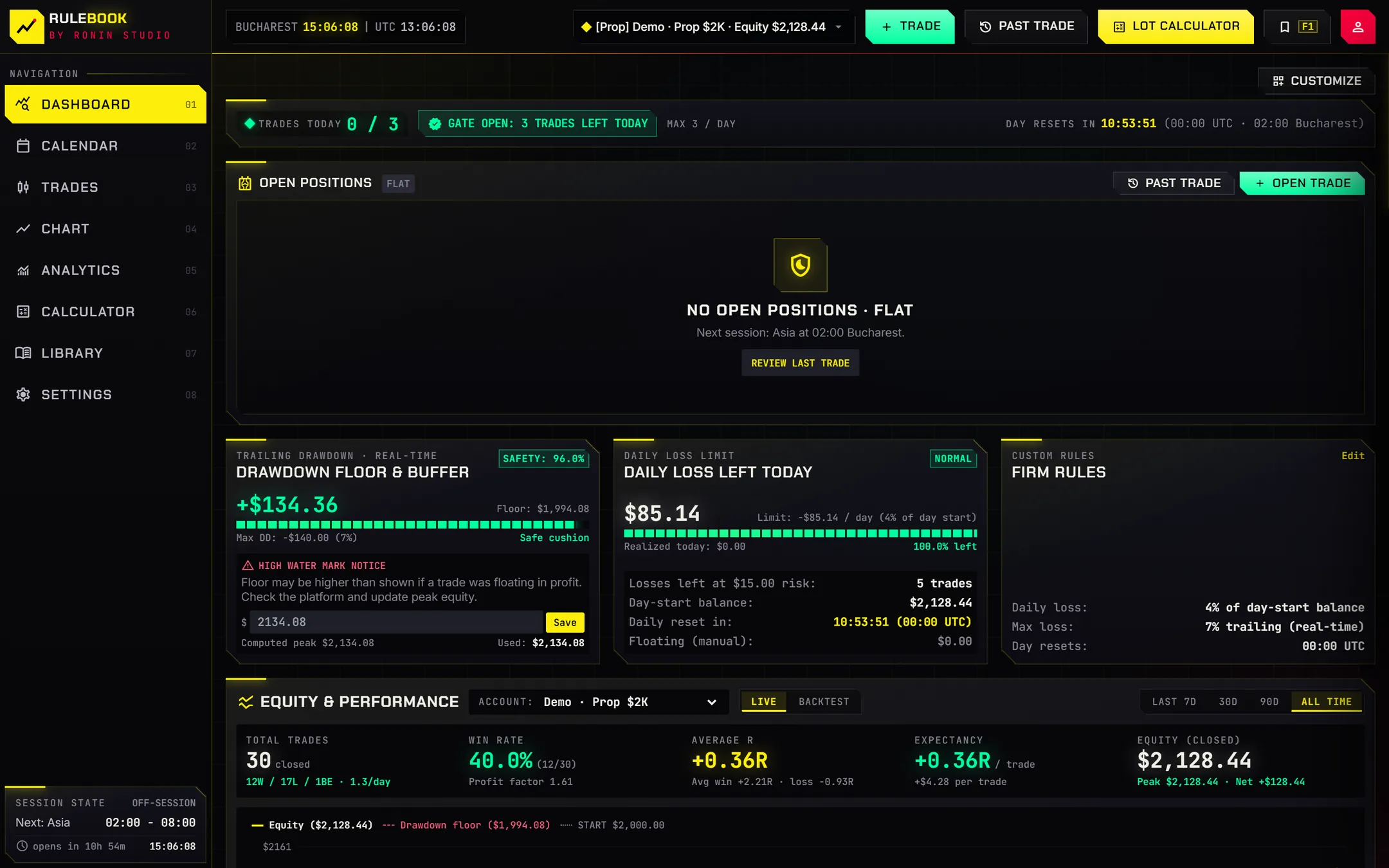
Pick your firm and program and Rulebook fills in the rules: drawdown type, daily loss, consistency, profit target and minimum trading days. Or set your own. Every number on the dashboard updates as you trade.
- Static and trailing drawdown
- Daily loss from balance or equity
- Consistency and minimum valid days
- Profit target progress
02 · Tells you when to stop
Discipline,
enforced
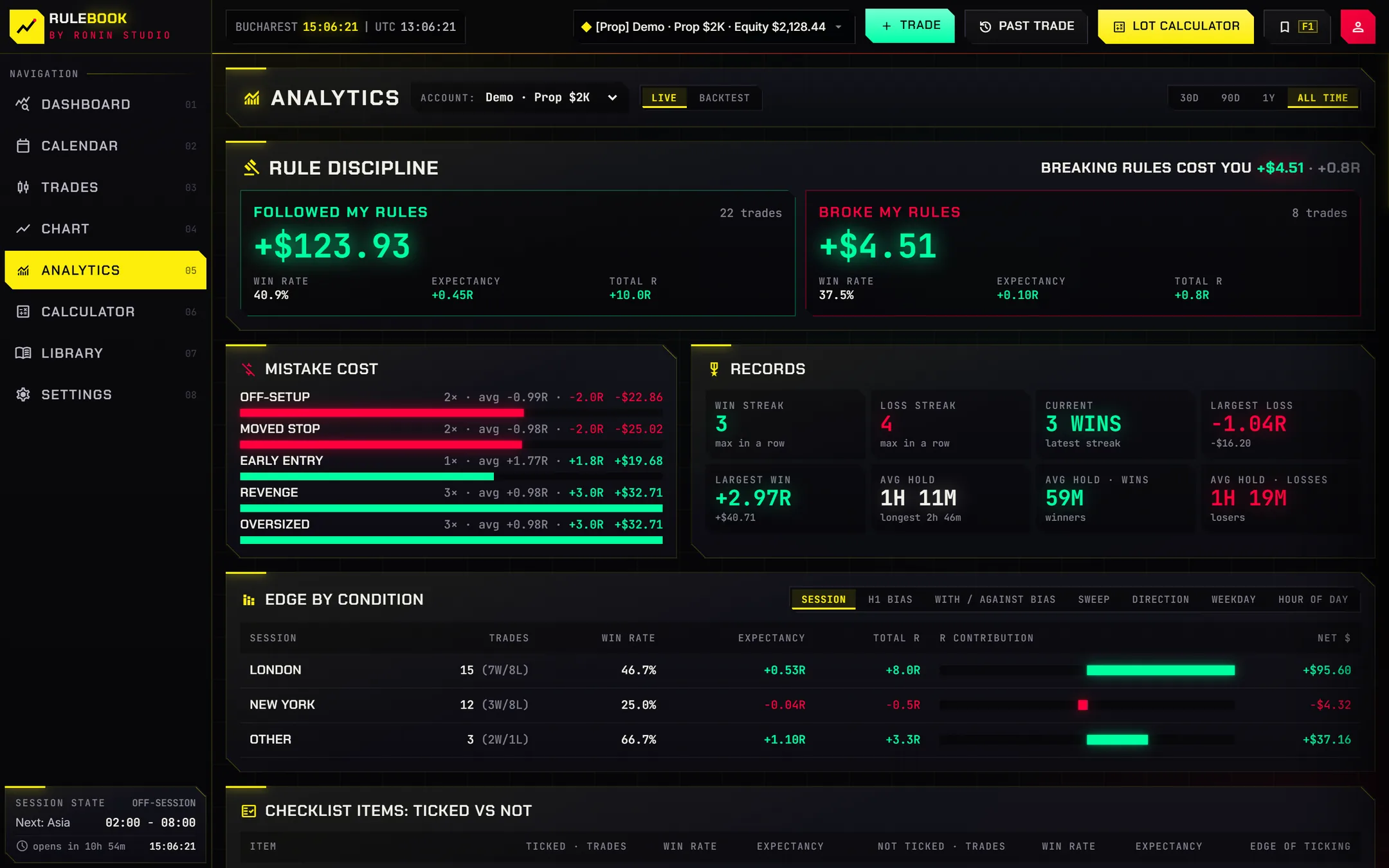
Set your stop rules: max trades, max losses, stop after a win. Rulebook keeps a daily gate and warns you before you break your own plan. Every trade starts with your checklist and a reason.
- Pre-trade checklist you write yourself
- Stop after X losses or wins
- Lot size from your risk, not your mood
- Guardrails before you click buy
03 · Journals itself
You trade.
It writes it down.
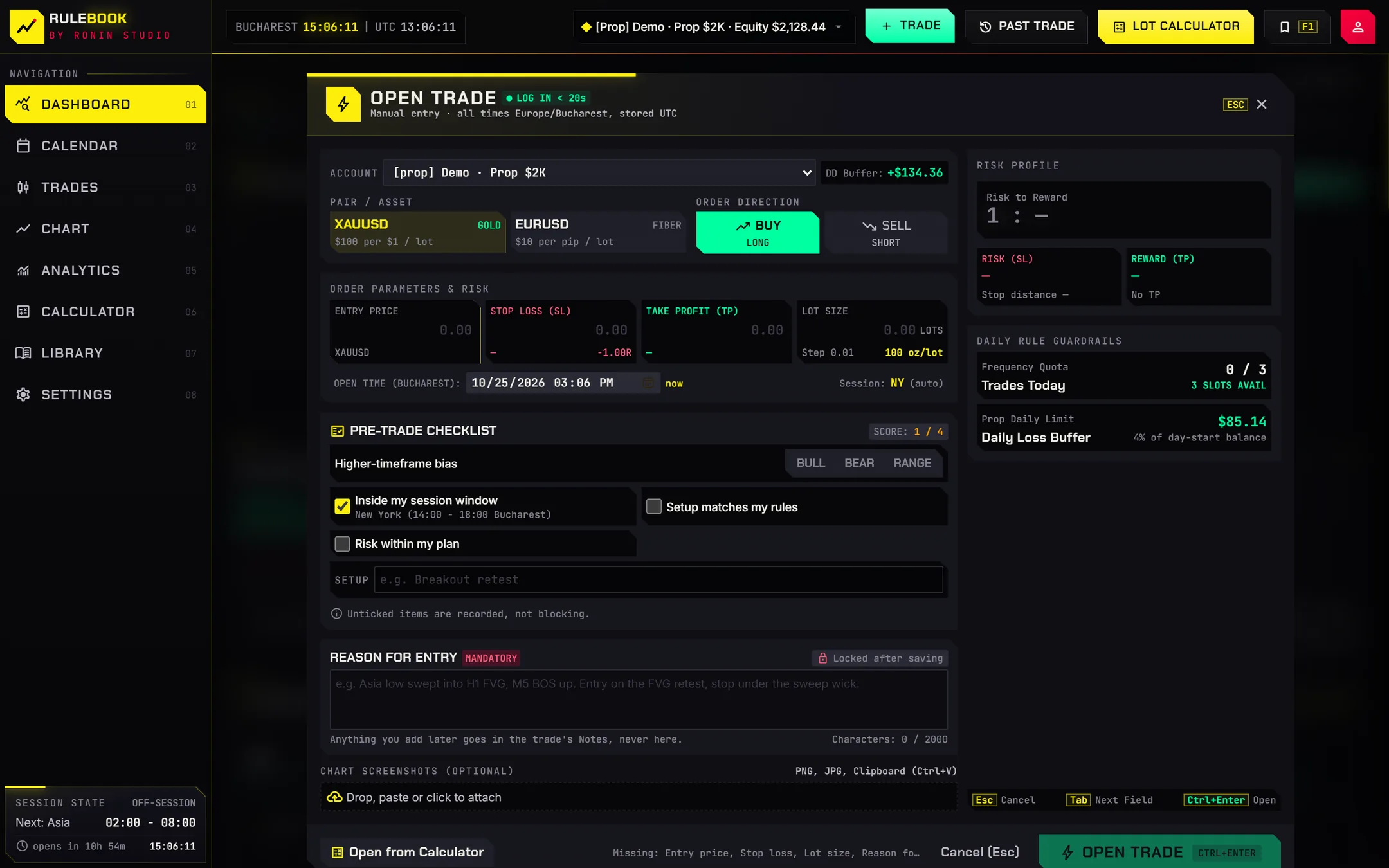
Connect your broker and trades log themselves: entry, exit, size, result. You only add the why. Then the calendar and analytics show you which setups, sessions and habits actually pay.
- Broker auto-sync with Pro (TradeLocker today)
- Calendar with every trading day
- Analytics: discipline vs. results
- Import past trades from CSV
Everything in one place
Built for the way
funded traders work
Pre-trade checklist
Your own checklist on every trade, so setups are taken on rules, not feelings.
Lot calculator
Position size from balance, risk and stop, with warnings for stops that are too tight or too wide.
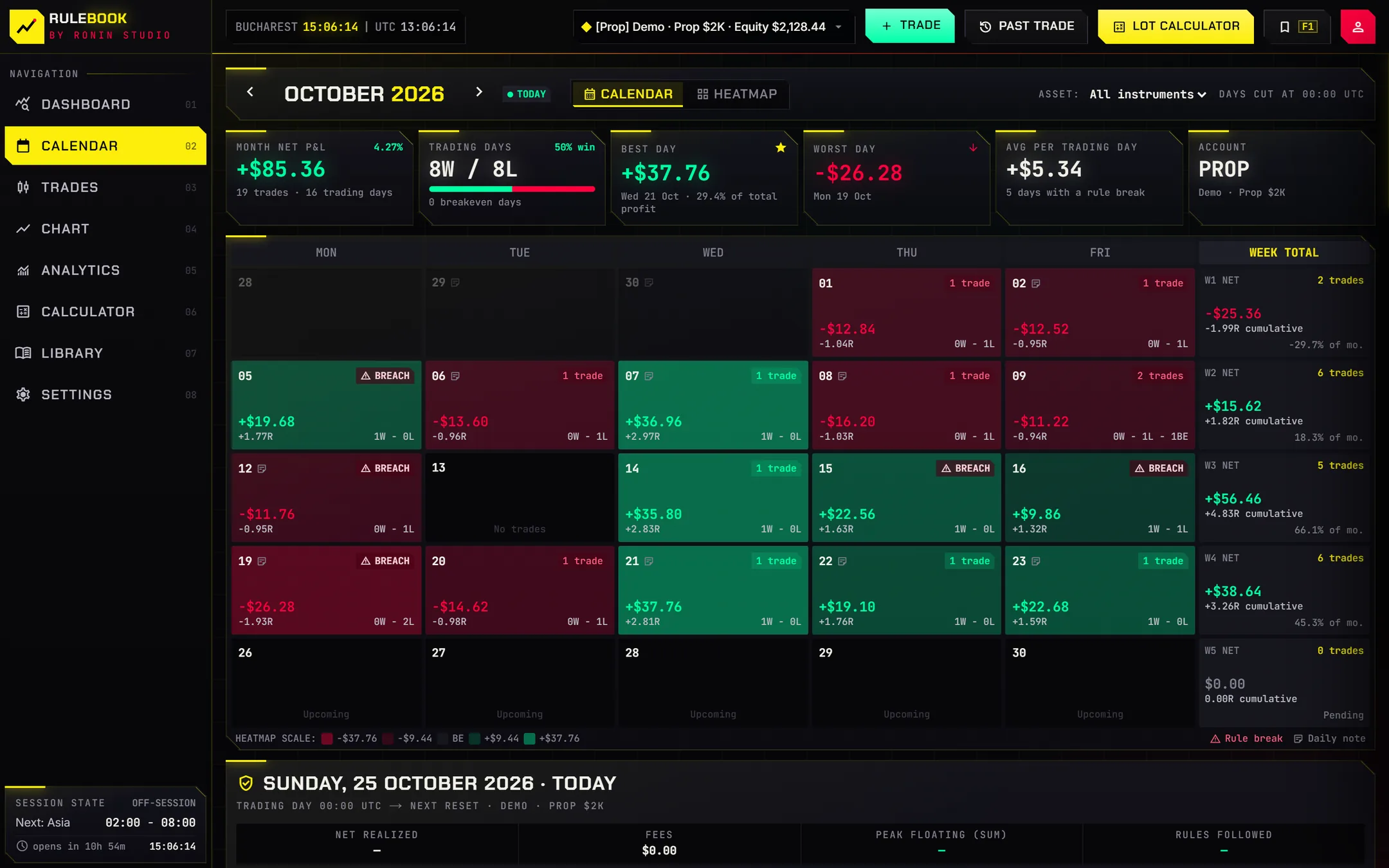
Calendar & heatmap
Every trading day at a glance, with a full dossier for each day.
Live chart
A TradingView chart with your open positions and levels.
Analytics
Win rate, R, sessions and setups, and how following your rules changes the numbers.
Library
Keep your playbook, notes and lessons next to the trades they came from.
Local or cloud
CSV files in your Documents folder that open in Excel, or sync with an account.
Guided tours
Short pop-up tutorials for every page, replayable any time.
Private by default
Your journal.
Your files.
Use Rulebook without an account: your journal is saved as plain CSV files in your Documents folder that open in Excel, with a daily backup. Want it on more than one computer? Sign in and it syncs.
Local
No account. CSV files on your PC, backed up daily.
Cloud
Sign in to sync between computers. Switch any time.
Broker logins
Stored in the Windows Credential Manager, never in plain text.
Questions
FAQ
Is Rulebook free?
Which prop firms does it support?
Does Rulebook place trades?
Which brokers can sync automatically?
Where is my data stored?
Does it work on Mac?
Free download
Know your rules.
Keep your account.
Set up your firm's rules in a minute. Your journal stays on your computer.